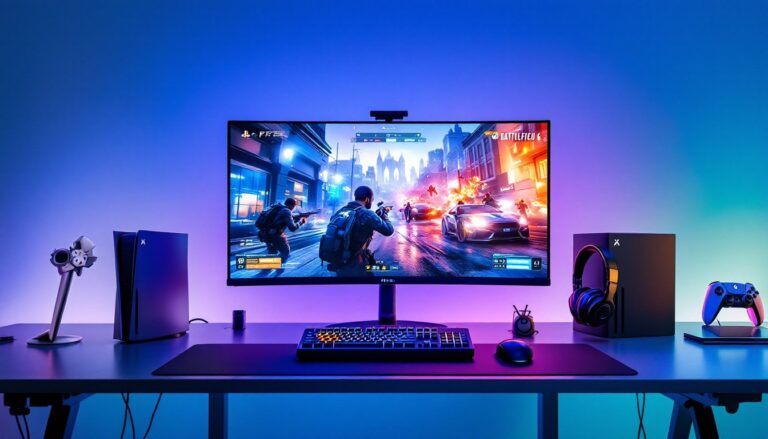

PlayStation ideas can transform an ordinary gaming session into something memorable. Whether someone owns a PS5, PS4, or both, there are countless ways to get more out of the console. From themed game nights to hidden settings most players overlook, these PlayStation ideas help gamers unlock the full potential of their setup. This guide covers practical tips, creative activities, and customization projects that make gaming more enjoyable for solo players and groups alike.
Table of Contents
ToggleKey Takeaways
- Themed game nights with genre-based, retro, or challenge-based formats turn ordinary PlayStation sessions into memorable social events.
- DIY customization projects like custom faceplates, LED lighting, and cable management let gamers personalize their PlayStation setup affordably.
- Share Play allows friends to join games remotely even without owning the title, making it one of the best PlayStation ideas for online co-op.
- PS5’s hidden Game Presets feature lets players set default difficulty, performance modes, and subtitles across all games automatically.
- Local multiplayer games like It Takes Two and Overcooked 2 are perfect PlayStation ideas for quality time with friends and family.
- Activity Cards and spoiler-free trophy settings are underused features that improve convenience and protect story surprises.
Game Night Themes and Challenges
Themed game nights bring structure and excitement to PlayStation sessions. Instead of randomly selecting titles, players can organize evenings around specific genres, eras, or creative challenges.
Genre-Based Themes
Pick a genre and stick with it for the entire night. Horror games work well for Halloween gatherings, titles like Resident Evil Village or Until Dawn set the mood. Racing enthusiasts can host a Gran Turismo tournament with bracket-style elimination rounds. Fighting game nights featuring Street Fighter 6 or Tekken 8 create natural competition among friends.
Retro Revival Nights
PlayStation Plus subscribers gain access to classic PS1 and PS2 titles. Hosting a retro night introduces younger players to gaming history while triggering nostalgia for veterans. Games like Crash Bandicoot, Spyro, and Twisted Metal still hold up remarkably well.
Challenge-Based Sessions
Add stakes with creative challenges. Try a “no-death run” in Dark Souls or speedrun attempts in Ratchet & Clank. Players can also create drinking game rules (non-alcoholic options work too) tied to in-game events. Someone dies? Take a sip. Complete a boss fight? Everyone celebrates.
These PlayStation ideas turn passive gaming into active entertainment with built-in goals and social engagement.
DIY Setup and Customization Projects
Personalizing a PlayStation setup adds character to any gaming space. Several DIY projects require minimal skill but deliver impressive results.
Custom Controller Skins and Faceplates
The PS5’s removable faceplates make customization simple. Third-party companies sell replacement panels in dozens of colors and designs. For a truly unique look, some crafters paint their own faceplates using automotive-grade spray paint. Controller skins provide another option, vinyl wraps protect the DualSense while adding personality.
Cable Management Solutions
Messy cables kill the aesthetic of any setup. Velcro cable ties, adhesive clips, and cable raceways keep wires organized. A clean cable run from the console to the TV makes the entire space look more professional. Many gamers build simple wooden cable boxes to hide power strips and excess cord length.
LED Lighting Projects
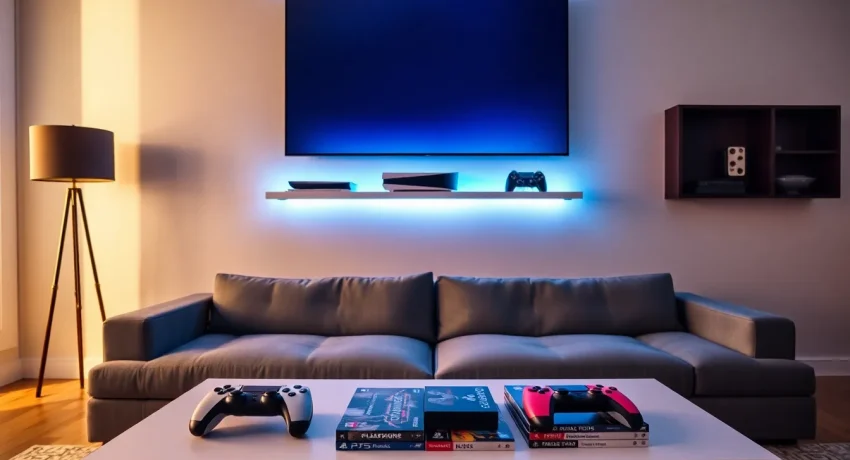
LED strip lights behind the TV or along shelving create ambient lighting that matches gameplay. Philips Hue and Govee systems sync with on-screen colors for an immersive experience. Budget-friendly USB-powered LED strips cost under $15 and attach directly to the TV’s back panel.
Custom Storage Solutions
Wall-mounted controller holders, game case displays, and dedicated console shelves keep everything organized. Floating shelves from IKEA work perfectly for most setups. Some players 3D-print custom stands that hold controllers, headsets, and media remotes in one compact unit.
These PlayStation ideas let gamers express creativity while improving their play environment.
Social Gaming Activities With Friends and Family
PlayStation offers numerous ways to connect with others, both locally and online. The right activities turn gaming into quality social time.
Couch Co-op Favorites
Local multiplayer games remain some of the best PlayStation ideas for family gatherings. It Takes Two requires two players working together through inventive puzzles. Overcooked. 2 tests communication skills in chaotic kitchen scenarios. Sackboy: A Big Adventure provides family-friendly fun that younger kids can enjoy alongside adults.
Share Play Sessions
PlayStation’s Share Play feature lets friends join games remotely, even if they don’t own the title. One player hosts, and another joins virtually. This works great for co-op games or when someone wants to try a game before buying. The feature requires both players to have PlayStation Plus subscriptions.
Tournament Brackets
Organize formal tournaments with brackets, seeding, and prizes. Free bracket generators like Challonge handle the logistics. FIFA, NBA 2K, and Mortal Kombat work well for competitive formats. Small entry fees can fund prizes for winners, adding real stakes to friendly competition.
Stream Watch Parties
Gather friends to watch skilled players stream challenging games. PlayStation integrates Twitch and YouTube streaming directly from the console. Groups can react together, learn advanced techniques, and debate strategies while watching top-tier gameplay.
Social PlayStation ideas strengthen relationships through shared experiences and friendly competition.
Hidden Features and Settings Worth Exploring
Most PlayStation owners use only a fraction of their console’s capabilities. These lesser-known features improve convenience, performance, and enjoyment.
Game Presets
PS5 allows players to set default preferences for all games. Navigate to Settings > Saved Data and Game/App Settings > Game Presets. Here, users can choose default difficulty levels, performance vs. resolution modes, and subtitle preferences. New games automatically apply these settings.
Create Button Customization
The DualSense’s Create button offers multiple configuration options. Players can change how screenshots and video clips are captured, press once, press twice, or hold. Adjusting video clip length (from 15 seconds to one hour) ensures recordings capture exactly what’s needed.
Remote Play on Multiple Devices
PlayStation Remote Play streams games to phones, tablets, laptops, and other consoles. Setting this up takes five minutes and provides flexibility for gaming outside the living room. The feature works over home Wi-Fi or mobile data, though a strong connection is essential for smooth performance.
Activity Cards
Pressing the PlayStation button reveals Activity Cards showing in-game objectives, estimated completion times, and quick-jump options. Many players ignore these cards, but they provide valuable guidance and time-saving shortcuts.
Spoiler Warnings
PS5 can hide trophy descriptions that contain story spoilers. Enable this in Settings > Saved Data and Game/App Settings > Spoiler Warnings. Players can browse trophy lists without ruining plot surprises.
Exploring these PlayStation ideas reveals how much functionality most users overlook.